01 / CREATE
Build the game your way.
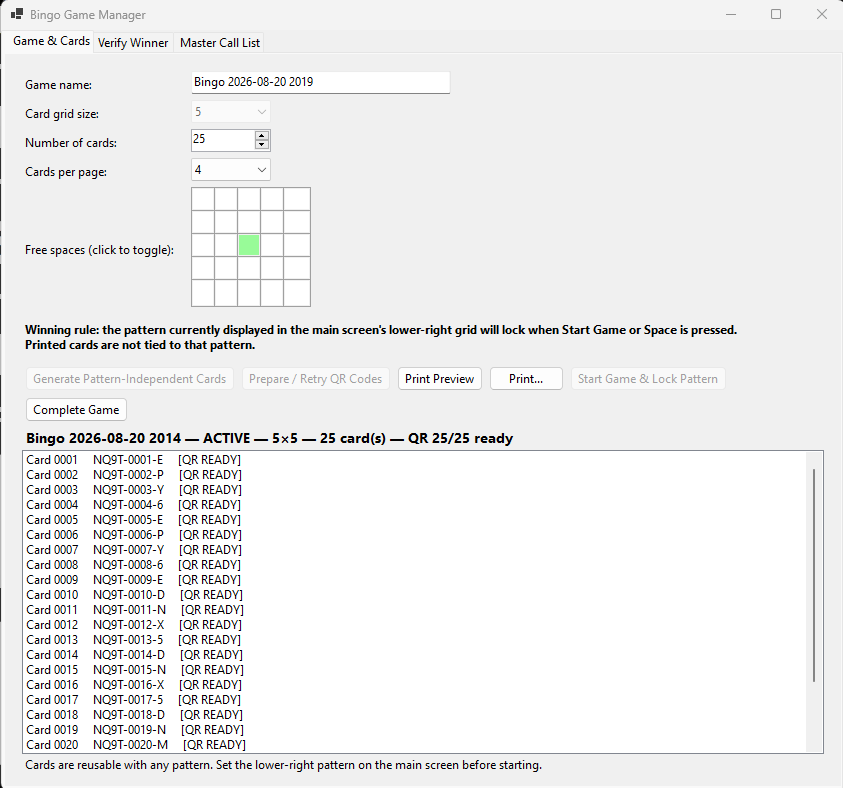
Name the game, generate unique cards, select any free-space positions, and prepare signed QR codes before the first call.
Bingo night, upgraded
Everything you need to run a polished bingo game—from QR-enabled cards and a customizable caller board to instant winner checks on any mobile device.
The complete game flow
Set up the cards, run the room, and verify the win without stitching together separate tools.
Name the game, generate unique cards, select any free-space positions, and prepare signed QR codes before the first call.
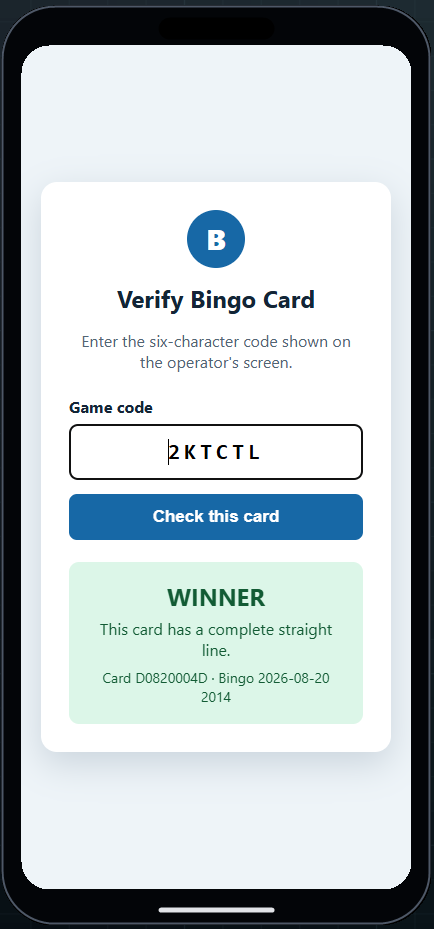
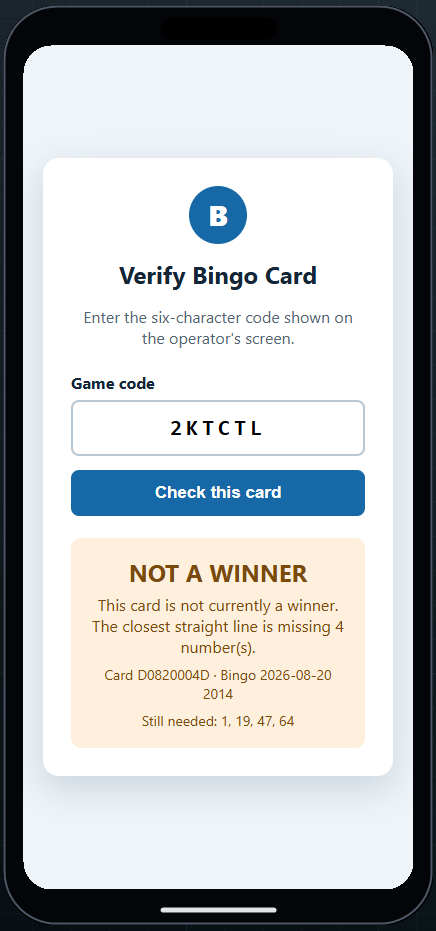
Scan the card, enter the game code, and see the result instantly.
Feature review
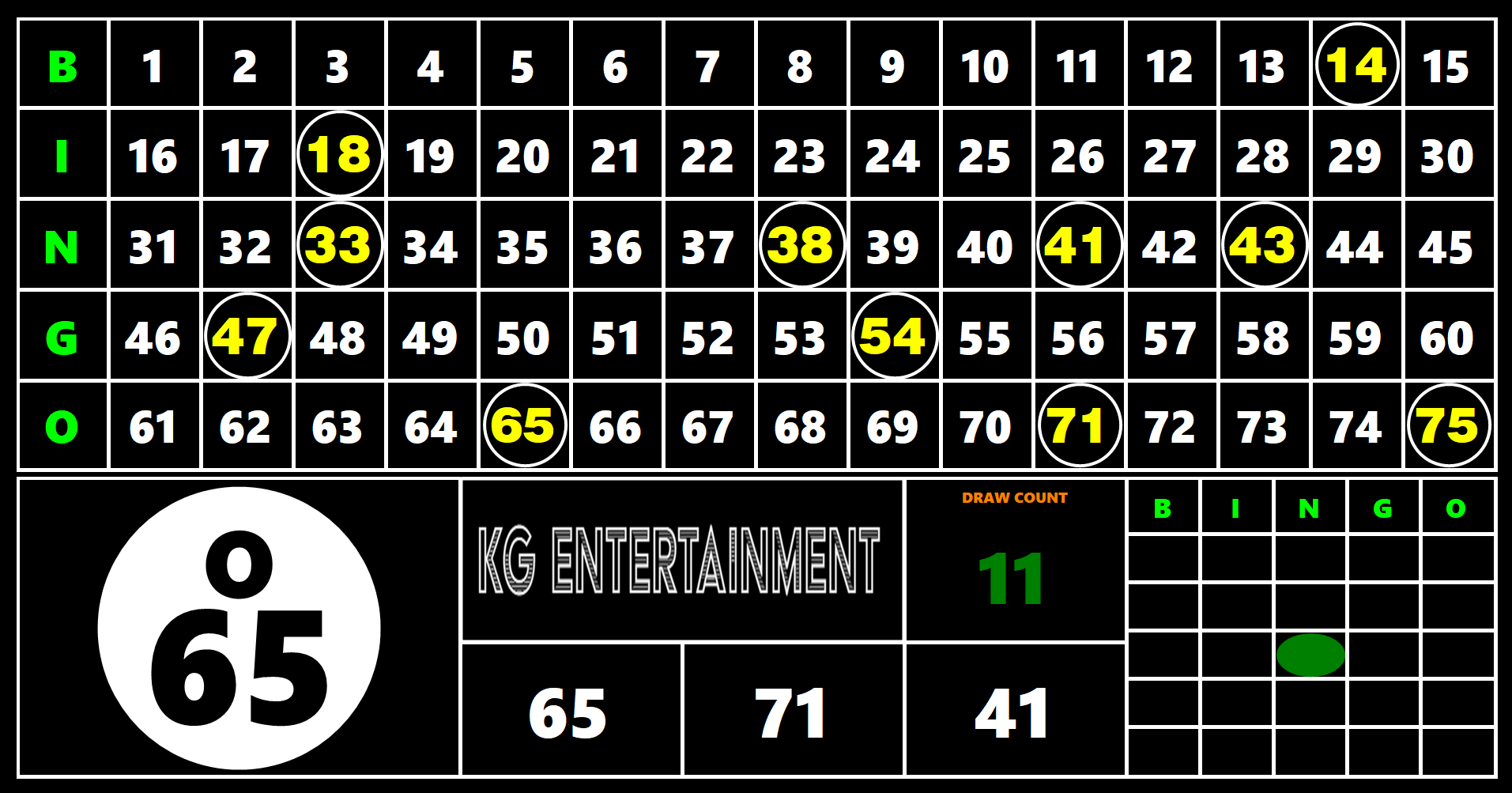
Run a clear 75/90-ball display with the current call, recent numbers, draw count, and every selected number visible at a glance.
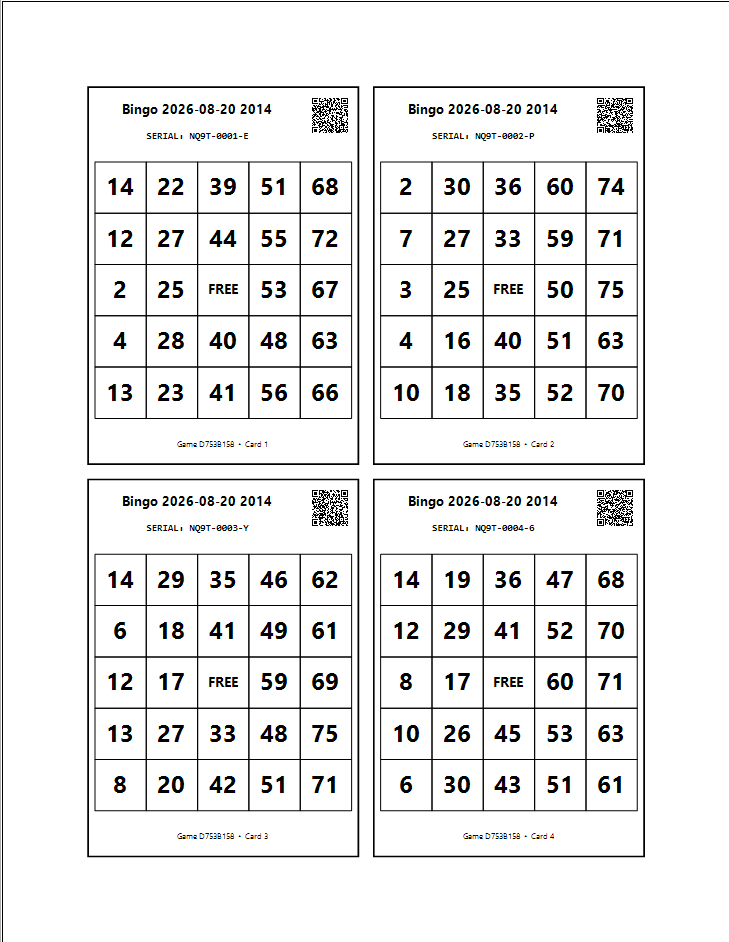
Create up to 500 unique, serial-numbered cards per game, choose free spaces, preview the layout, and print 1, 2, or 4 cards per page.
Each prepared card includes a signed QR code. Players scan, enter the six-character game code, and get an immediate winner result.
Save, browse, and remove custom patterns. Cards remain pattern-independent, so the rule locks only when the game begins.
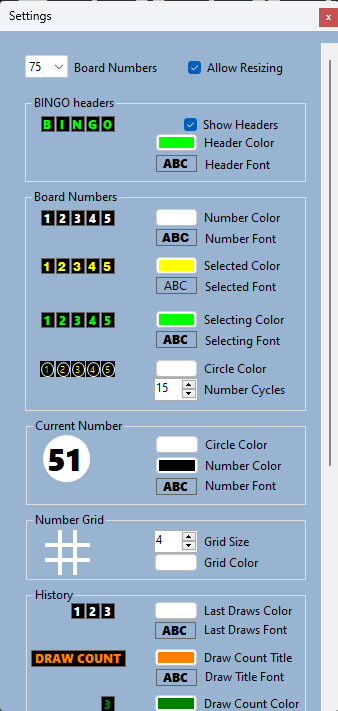
Adjust colors, fonts, grid lines, number cycles, headers, markers, resizing, and your organization’s logo or display text.
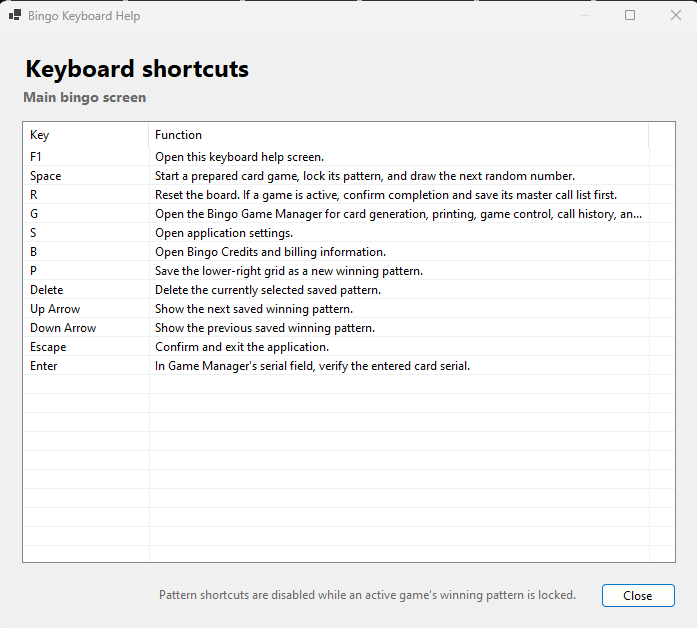
Preserve the ordered master call list, verify a card by serial number, and run common actions with dedicated keyboard shortcuts.
Your room. Your look.
Match the display to your venue, fundraiser, school, or company. Change the visual system without changing how the game works.
How it works
Choose a game name, card count, and free spaces. Generate unique serial-numbered cards.
Prepare QR codes, preview the pages, and print one, two, or four cards per sheet.
Select the winning pattern, start the game to lock it, and use Space to draw each number.
Scan a card on a phone or enter its serial in Game Manager for an immediate check.
Run the room confidently
Keyboard shortcuts keep the caller moving, while the ordered master call list preserves the active calls for the game. Removed calls remain in the saved audit history.
Simple pricing
Every installation begins with three one-time demo game credits. Each new game uses one credit unless monthly or lifetime unlimited access is active.
Try it
Prepaid
Monthly
Lifetime
Monthly, lifetime, and prepaid options are managed securely from inside the Bingo-tainment application. Lifetime access applies to the computer installation where it is purchased.
Ready to call the next number?